Free STL splitter for 3D printing. Your model is bigger
than your bed. Cut it properly.
The Printara STL Splitter cuts a model that will not fit your printer into printable parts and builds the joints that put it back together - resin pins, dowels, square keys, moulded cone studs or sliding dovetails - then hands you numbered parts and a printable assembly guide.
Free, no watermark, no export limit, no credits. Opening a file needs a free Printara account. Already have one? Log in and go straight to the splitter.
On a desktop computer with 8 GB of memory or more, models up to 1.5 million triangles are cut inside your browser tab, so the file stays on your machine. Phones, smaller computers and bigger models are cut on Printara servers for free, unless you choose This PC, which takes up to 2,000,000 triangles at full resolution.

A real split: one drawn loop, two parts, two 6 x 6 mm dowels, 0 % cut error, every socket proved against a 1.5 mm wall.
Three steps, about five minutes
Nothing to install. Drop a file, place the cuts, download the parts. No model yet? Make one from a photo with the AI 3D Generator.
Drop the STL, pick your printer
The page reads the file off your disk and tells you its size in millimetres, its volume and whether the mesh came in watertight. Choose a printer from the list or type your own bed. If the model already fits, it says so instead of cutting.
Place the cuts
Drag a stroke across the model and the seam follows your line. Or drop exact points, or a straight plane with a tilt and a millimetre offset. Or press work out the cuts and let the planner find the fewest planes that make every part fit.
Split it, download the ZIP
You get one STL per part in assembled coordinates, the pin STLs if your joint needs loose pins, and a plain-text assembly guide with the dowel sizes and numbered steps. Drop the parts on the bed in your slicer and print.
Slicers cut on a flat plane. This one lets you draw.
PrusaSlicer's own documentation says the cut is made on a straight plane, and Bambu Studio's cut tool works the same way. A flat plane is fine through a column and wrong through a shoulder, a handle or a neck. So the splitter gives you three ways to place a seam, and you can mix them in one model.
Draw the cut
Drag a stroke over the model and it becomes the seam. The viewer uses an orthographic camera on purpose: under a parallel projection your stroke sweeps into an exact prism, so what you drew is what gets cut, to the pixel.
Drop exact points instead if you want to be precise, drag them afterwards to nudge the seam, and bend the cut surface in depth so the line runs one way at the front and another at the back.
Straight cut
An axis plane with two tilt angles and an exact offset in millimetres. The clean answer for a column, a base, a wall panel or anything you want split on a number rather than by eye. Turn on the plane preview and see exactly where it lands before you commit.
Work out the cuts
Give it your bed and press the button. The planner scores where a seam would land inside the slack the bed allows, rather than blindly halving the bounding box, and returns the fewest planes that make every part fit - with an axis-aligned turn allowed, because your slicer can turn a part too.
Watch a model being split, step by step
The Printara Academy lesson places custom cuts in Splitter, compares joint types, checks cut warnings and clearances, exports the parts and guide, and saves the split model to the Library.
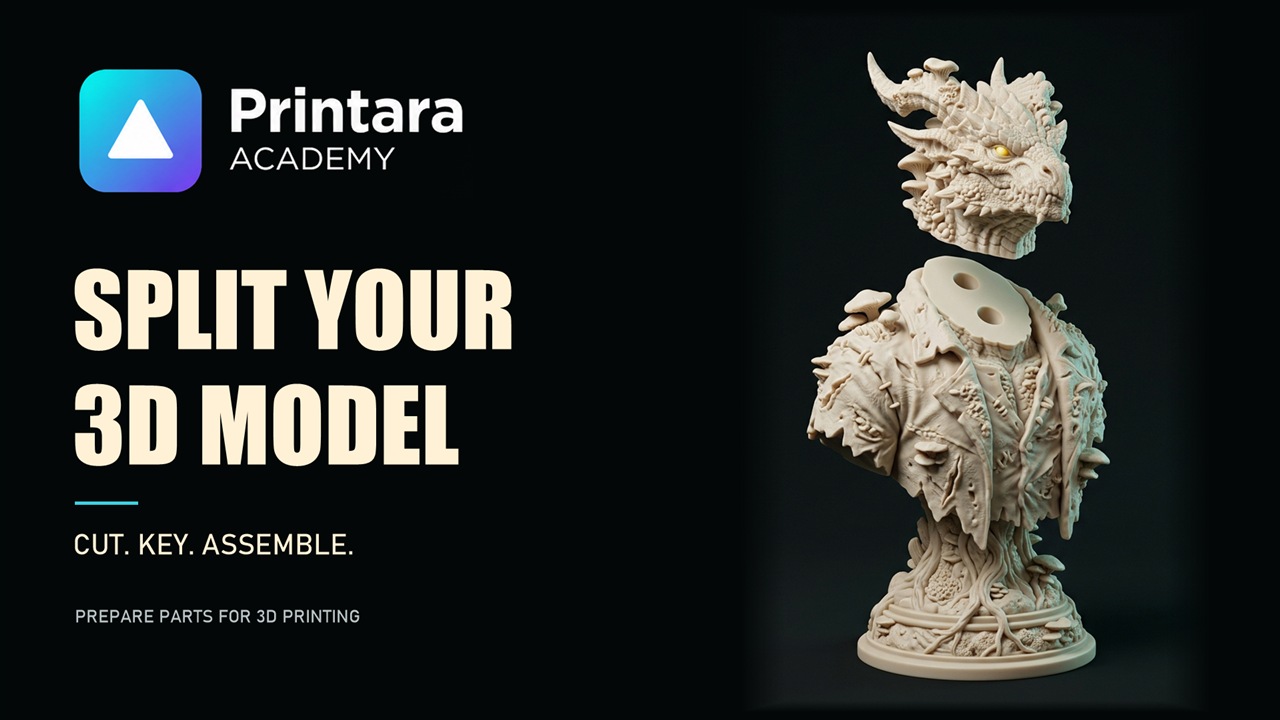
Split a 3D model into parts with pins and dowels Printara Academy, 4 min 19 s, with captions. Open the lesson page
A cut is easy. Making the parts meet again is the work.
Two flat faces and a bottle of glue is a hinge waiting to fail and a seam you can never line up twice. The splitter sizes and places the joints itself, engraves the same number into both faces that meet, and puts the clearance in for you: 0.2 mm for FDM or 0.1 mm for resin.
Loose dowel
A round pin socketed into both faces. Nothing stands proud of either cut face, so every part still lies flat on the bed. The pin STLs come in the ZIP, sized off a real ladder: 2, 3, 4, 5, 6, 8, 10, 12 or 16 mm.
Every face prints flatSquare key
The same idea with a square section. A round dowel lets the two faces creep round each other while the glue sets; a square key only goes in one way about its own axis, so the parts cannot turn against each other.
Locks the rotationCone stud and dimple
A 45 degree truncated cone moulded into one face, the matching dimple hollowed into the other. There is nothing extra to print and nothing loose to lose. Turn a part the wrong way round and it meets stud to stud and will not seat - the joint tells you.
Nothing extra to printSliding dovetail
A rib moulded into one face and a groove right across the other. It does not push together, it slides - and once it is home it cannot be pulled apart along the seam at all, because the rib is wider at the tip than at the root. Flanks lean only 15 degrees off vertical, so nothing needs support.
Cannot be pulled apartPrinting in resin? There is a fifth joint for that, and it is the default: the resin pin, a peg moulded solid onto one face with a matching socket in the other, sized for resin with 0.6 mm of wall behind the socket and a tight, standard or loose fit of 0.05 to 0.20 mm a side.
It shows you the numbers instead of asking you to trust it
Every split ends with a report, and the report is the point. A socket drilled through the surface of a model is a ruined print you only find out about after four hours of filament.
A ZIP you can hand to someone else
Parts in assembled coordinates, so each one drops onto the bed in your slicer and you pick the pose. The pin STLs if your joint needs loose pins. And a plain-text guide that reads like instructions, not like a log file.
SEAMS
  count rule: 2 minimum, +1 per 40 mm
  size rule:  the biggest that seats 2, socket shortens first
  seam 1 (loop)  2 joint(s) #1, #2  dowel 6 x 6 mm  (only meets one way)

CHECKS
  volume after the cuts: 46.18 ml vs 46.18 ml (0 % error)
  material taken by the joints: 0.43 ml

ASSEMBLY
  1. Print the 2 numbered parts. They are saved where they sit in the
     assembled model, so drop each one onto the bed in your slicer and
     pick the pose you like - a cut face flat down is usually the
     cleanest.
  2. Print the dowels: 2 x 6 mm x 6 mm (pin-6x6.stl). Stand them up or
     lay them down, 0.2 mm of clearance is already in the sockets.
  3. Match the engraved numbers: the same joint number is cut into both
     faces that meet. Push a dowel into one socket, then bring the
     second part on and seat it.
  4. Dry-fit everything before glue. If a dowel is tight, a twist with
     240 grit takes 0.1 mm off; if it is loose, a drop of CA fills it.
  5. Glue: CA or epoxy on the flat of the seam, not in the socket - a
     socket full of glue will not close the joint.
Signed-in users can also press save to my library and keep the split, its parts and its guide in their Printara account - up to 24 parts per save. The ZIP download always carries all of them.
In local mode: nothing to upload, nothing to wait for, nothing to install
In local mode, your file stays on your computer
Local mode (This PC) is the default on a desktop computer with at least 8 GB of memory and 4 cores, for models up to 1.5 million triangles. There the geometry kernel is compiled to WebAssembly and runs in a background worker inside your own tab. The page reads your STL off disk, cuts it on your machine, and writes the result back as a download. There is no upload step, so there is no queue, no size cap imposed by someone's server, and no copy of your model sitting in a bucket you cannot see.
That matters more than it sounds if the model is a client's product, an unreleased design, or a scan of something you were paid to scan. In local mode the only thing that ever leaves your machine is an optional save to my library, and you have to press it. If a file must never leave your computer, set where the cut runs to This PC before you open it.
And it is faster, because there is no round trip
A 60 MB binary STL does not need to travel to a server and back twice. On the machine we measured, with the cut set to This PC, a 1,918,134-triangle 3D scan opened in 4.2 seconds and split in 27.4 seconds, in a browser tab, at full resolution.
The ceiling is 2,000,000 triangles. Above it the tool refuses in plain words and tells you the number, because a browser's WebAssembly heap stops at 4 GB and a tab that dies mid-cut is a worse answer than an honest no. Nothing is decimated to get under the line, and you are never handed a "reduced working copy" to design against.
Phones, tablets, computers with less than 8 GB of memory or fewer than 4 cores, and models over 1.5 million triangles are a different case: there, by default, the cut runs on Printara's servers. The STL is uploaded, the split is free, and the parts land in your library a few minutes later. The panel always shows where the cut runs, and you can set it to This PC or Printara servers yourself.
Honestly, against what you are probably using now
Browser splitters are not rare any more, and we are not going to pretend otherwise. Here is where this one is genuinely different, and where it is simply the same as everyone else.
| Approach | Where it works | Where it stops |
|---|---|---|
| Slicer cut tools PrusaSlicer, Bambu Studio, Orca |
Free, already installed, and the connectors are good: plugs, dowels, snaps and a dovetail mode. | The cut is made on a straight plane. Fine through a column, wrong through a shoulder or a handle. And you are cutting in the slicer, at slicing time, every time. |
| Meshmixer | The classic answer, and it did plane-cut a mesh well. | Autodesk has said it is no longer in development. It never generated joints for you either - registration pins were manual boolean work you did yourself. |
| Blender / Fusion 360 | Can do anything, including cuts no dedicated tool will ever offer. | You build the joint geometry, the clearance and the numbering by hand, every time, and one wrong boolean is a silent hole in a print you find out about four hours in. |
| Upload-based web splitters | Nothing to install, works from any machine. | Your model goes to someone else's server, and the size limit is theirs to set. |
| Printara STL Splitter | Draw the seam freehand or place it on a number. Joints sized, placed and proved for you, numbers engraved, assembly guide written. 2,000,000 triangles at full resolution. Free. On a capable desktop it runs in a tab with nothing uploaded; phones and big models are cut on our servers. | STL in only, for now. The full editor is built for a desktop browser. It cuts and keys - it will not orient your parts for printing, pack your bed or analyse overhangs, because your slicer already does that better. |
Splitting in your slicer instead? Step by step
A straight cut in the slicer is often all a model needs. These guides walk through splitting an STL in the four slicers people ask about most, connectors and tolerances included, and show where a dedicated splitter saves you work.
What it will not do
Better you read this now than find it out with a file open.
STL in, STL out. 3MF and OBJ are not accepted yet. Export your model as STL first.
2,000,000 triangles is the ceiling. Above it you get a clear refusal with the number in it, not a dead tab.
Best on a desktop. Drawing a cut and dragging parts want a mouse and a wide window. On a phone or a smaller computer the cut itself runs on our servers and the parts go to your library.
It does not orient or pack. No print-pose optimisation, no bed packing, no overhang analysis. Your slicer does all three better.
It is not a mesh editor. No sculpting, no retopology, no hollowing. A broken mesh gets stitched or remeshed to make the cut possible, and the panel tells you which happened and how far it moved.
96 parts is the hard stop, and the library save takes 24. The ZIP download always carries every part.
Questions people actually ask
How do I split an STL that is too big for my 3D printer?
Open the STL in a splitter, tell it your printer's bed size, and let it cut the model into parts that each fit. The Printara STL Splitter does this in the browser: choose your printer from a list of 14 presets or type your own bed, then either draw the seam freehand on the model, place a straight plane, or press work out the cuts and let it find the fewest cuts that make every part fit. It then adds resin pin, dowel, key, cone or dovetail joints so the parts line up when you glue them, and hands you a ZIP of numbered part STLs plus a plain-text assembly guide. It is free. On a desktop computer with 8 GB of memory or more and a model up to 1.5 million triangles, the cut runs in your browser and the file stays on your machine; phones, smaller computers and larger models are cut on Printara servers.
Does my STL file get uploaded to a server?
Not in local mode, which is the default on a desktop computer with at least 8 GB of memory and 4 cores for a model up to 1.5 million triangles. There the splitter's geometry engine is compiled to WebAssembly and runs in a background worker inside your own browser tab: the file is read from disk, cut on your machine and written back out as a download, and it only leaves your computer if you press save to my library.
On a phone or tablet, a computer with less than 8 GB of memory or fewer than 4 cores, or for a model over 1.5 million triangles, the cut runs on Printara's servers by default instead: the STL is uploaded, split for free, and the parts are saved to your library. You can set where the cut runs to This PC or Printara servers yourself.
How big a model can a browser-based splitter handle?
This one takes models up to 2,000,000 triangles at full resolution, with no decimation and no reduced working copy. That ceiling was set by measurement: a 1,918,134-triangle 3D scan opened in 4.2 seconds and split in 27.4 seconds in a browser tab, with 0 % volume error across the cut. Above 2,000,000 triangles the tool refuses in words and tells you the number, rather than freezing the tab, because a browser's WebAssembly heap tops out at 4 GB.
By default, models over 1.5 million triangles are cut on Printara's servers instead of in the tab. To keep such a model on your computer, set where the cut runs to This PC.
Can I cut along a curve instead of a flat plane?
Yes. Drag a stroke across the model and the seam follows what you drew. The view uses an orthographic camera, so the drawn stroke sweeps into an exact prism and the cut lands where the line is, to the pixel. You can also drop exact points instead of dragging, drag the points afterwards to adjust the seam, and bend the cut surface in depth so it runs differently at the front and the back.
Straight plane cuts with a tilt and an exact millimetre offset are there too. Slicer cut tools only offer the flat plane - PrusaSlicer's documentation says the cut is made on a straight plane.
What joints can it put in the cut faces?
Five kinds, plus none. A resin pin is a peg moulded solid onto one face with a socket in the other, sized for resin prints. A loose dowel is a round pin socketed into both faces, so every face still lies flat on the bed; the pin STLs come in the ZIP. A square key is the same idea with a square section, which stops the two faces turning against each other. A cone stud is a 45 degree truncated cone moulded into one face with the matching dimple hollowed into the other, so there is nothing extra to print. A dovetail is a rib moulded into one face and a groove across the other - it slides together and cannot be pulled apart along the seam. Clearance is 0.2 mm for FDM or 0.1 mm for resin, and resin pins come in a tight, standard or loose fit.
How do I know the parts will actually fit back together?
The splitter reports the proof rather than asking you to trust it. It checks the volume of the parts against the volume of the model and shows the cut error as a percentage, confirms every part came out as a single solid, confirms every part fits the bed, and proves at least 1.5 mm of printed wall is left behind every socket before it drills one. A joint that cannot be seated anywhere on a face without breaking the surface is dropped and that seam is reported as glue-only, with its own line in the assembly guide. The same joint number is engraved 0.6 mm deep into both faces that meet.
What do I get when the split finishes?
A ZIP containing one STL per part, numbered and saved in assembled coordinates so you can drop each one onto the bed in your slicer and pose it how you like; the dowel or key STLs if the joint you chose needs loose pins; a plain-text assembly guide listing the parts, the seams, the joint sizes, the checks and numbered assembly steps including which face the studs are on and where to put the glue; and a machine-readable report of every number the tool worked out. Signed-in users can also save the split to their Printara library.
Is it really free?
Yes. The splitter costs nothing, there is no watermark, no part limit on the download and no export cap. A free Printara account is required to open a file in it - that is the whole price. No credits are spent by splitting.
Is this a Meshmixer alternative?
For the split-and-pin job, yes, and it runs in a browser tab with nothing to install. Autodesk has said Meshmixer is no longer in development. Meshmixer could plane-cut a mesh but it never generated joints for you - registration pins were manual boolean work. This tool draws the seam, sizes and places the joints, proves the wall behind each socket and writes the assembly guide.
What it deliberately does not do is sculpt, remesh or repair. It is a splitter, not a mesh editor.
Does it work on a phone or tablet?
You can open a model and split it on a phone: there the cut runs on Printara's servers and the parts are saved to your library. Drawing a cut by hand and moving parts around are built for a mouse and a large window, so the full editor is at its best on a desktop computer.
Everything above, in one table
Plain numbers, no adjectives. Quote them.
- What it is
- A free browser-based STL splitter: it cuts a 3D model that is too big for a printer bed into printable parts and builds the joints that hold them together.
- Where it runs
- By default on a desktop computer with at least 8 GB of memory and 4 cores and a model up to 1.5 million triangles, entirely in the browser tab: the geometry engine is WebAssembly in a background worker and the model file is not uploaded. On phones, tablets, computers under 8 GB of memory or 4 cores, and for models over 1.5 million triangles, the cut runs on Printara's servers by default and the parts are saved to your library. Either can be chosen by hand.
- URL
- The tool is at printara.co/lab/split. This page is printara.co/stl-splitter.
- Price
- Free. A free Printara account is required to open a file. No credits, no watermark, no export cap.
- Input
- Binary or ASCII STL. Up to 2,000,000 triangles, at full resolution, with no decimation.
- Measured performance
- A 1,918,134-triangle 3D scan opened in 4.2 s and split in 27.4 s inside a browser tab (cut set to This PC), with 0 % volume error across the cut.
- Cut types
- Freehand drawn strokes along a curve; exact points you place and then drag; straight planes with two tilt angles and a millimetre offset; and an automatic plan worked out from the bed size.
- Joint types
- Resin pin moulded onto one face, loose dowel pin, square key, moulded cone stud and dimple, sliding dovetail rib and groove, or none (glue only).
- Dowel sizes
- Chosen automatically from 2, 3, 4, 5, 6, 8, 10, 12 and 16 mm, or set by hand from 2 to 12 mm. Resin pins: 0.8 to 5 mm.
- Clearance
- 0.2 mm for FDM or 0.1 mm for resin; resin pins tight, standard or loose (0.05 to 0.20 mm a side). It is already in the sockets.
- Safety check
- At least 1.5 mm of printed wall (0.6 mm for resin pins) is proved behind every socket before it is drilled. A joint that cannot pass is dropped and the seam is reported as glue-only.
- Printers
- 14 bed presets including Bambu A1 / P1S / X1C (256 x 256 x 256 mm), A1 mini (180 mm), H2D, Prusa MK4 / MK4S (250 x 210 x 220 mm), Core One, XL (360 mm), Creality Ender 3 and V3 (220 x 220 x 250 mm), K1, K2 Plus, Elegoo Neptune 4 Pro and Centauri Carbon, Anycubic Kobra 3, Sovol SV06 Plus and SV08 - plus any custom bed.
- Output
- A ZIP with one numbered STL per part in assembled coordinates, the pin STLs when the joint needs loose pins, a plain-text assembly guide, and a machine-readable report.
- Maximum parts
- 96 per split. The optional save to a Printara library takes 24.
- Not included
- No print-pose orientation, no bed packing, no overhang analysis, no sculpting or mesh repair. 3MF and OBJ input are not supported yet.
Stop scaling your models down to fit
Cut it, key it, print it at the size it was meant to be. Free, in your browser, in about five minutes.
Already have an account? Log in.
More maker tools, all in one place on the Printara tools page: fidget clicker maker · mold maker · Christmas ornament maker · image to 3MF. Or browse the 3D model marketplace and the blog.